
-
Navigate to the Client
 section from the main menu.
 -
Use the search bar to find the client whose care service agreement needs to be ended.
-
Within the client’s profile, click on the Care service agreement tab to view all active and previous agreements.
-
Click into the active service agreement you wish to end/edit.
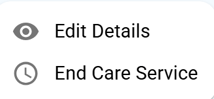
- To simply Edit the CSA details , Select “Edit Details” from the three dots on the right side of the CSA.
- Once the desired changes have been made , Click Save to confirm. Enter the effective date and time you want the revision to become active(at least 5 minutes from the current time) as well as a reason e.g. CSA update ,correction etc.
- Click Save to confirm. A yellow revision bubble will display on the CSA, indicating a scheduled update. Once the specified effective date and time arrive, the revision will automatically take effect and the changes will be applied.
-
To End ,Select “End Care Service” from the right side (the three dots ⋯).
-
Enter the end date and select a reason for ending the agreement e.g. care completed, hospitalisation, relocation, etc.
-
Click Save to confirm. The agreement will now become Ended, and the client will no longer appear in scheduling or billing .
PLEASE NOTE : CSA that have been ended CANNOT be reactivated once it has been ended.