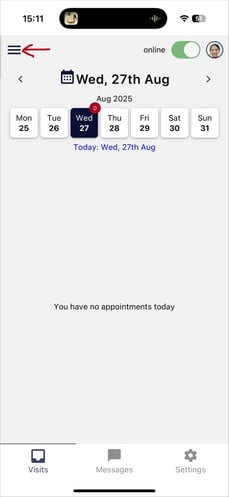
1. Once logged in to the mobile app, navigate to the Menu section.
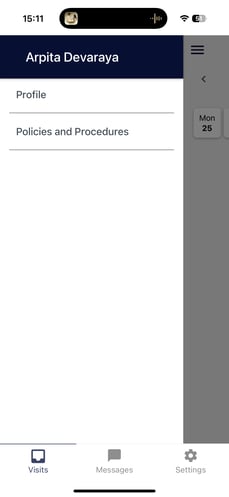
2. Select Policies and Procedures from the menu options.
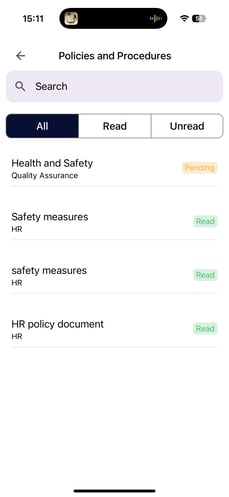
3. You will now see all policies and procedures listed with their statuses, such as Read and Pending.
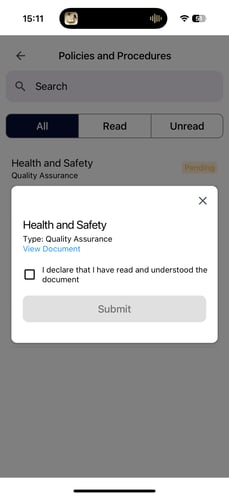
4. Select the policy document you wish to read. A dialog box will appear with the option to view the document. Click View Document to review the content. Once you have finished reading, tick the checkbox to confirm you have read the policy document, then click Submit. The status of the policy document will update to Read.